Wondering who's on campus?
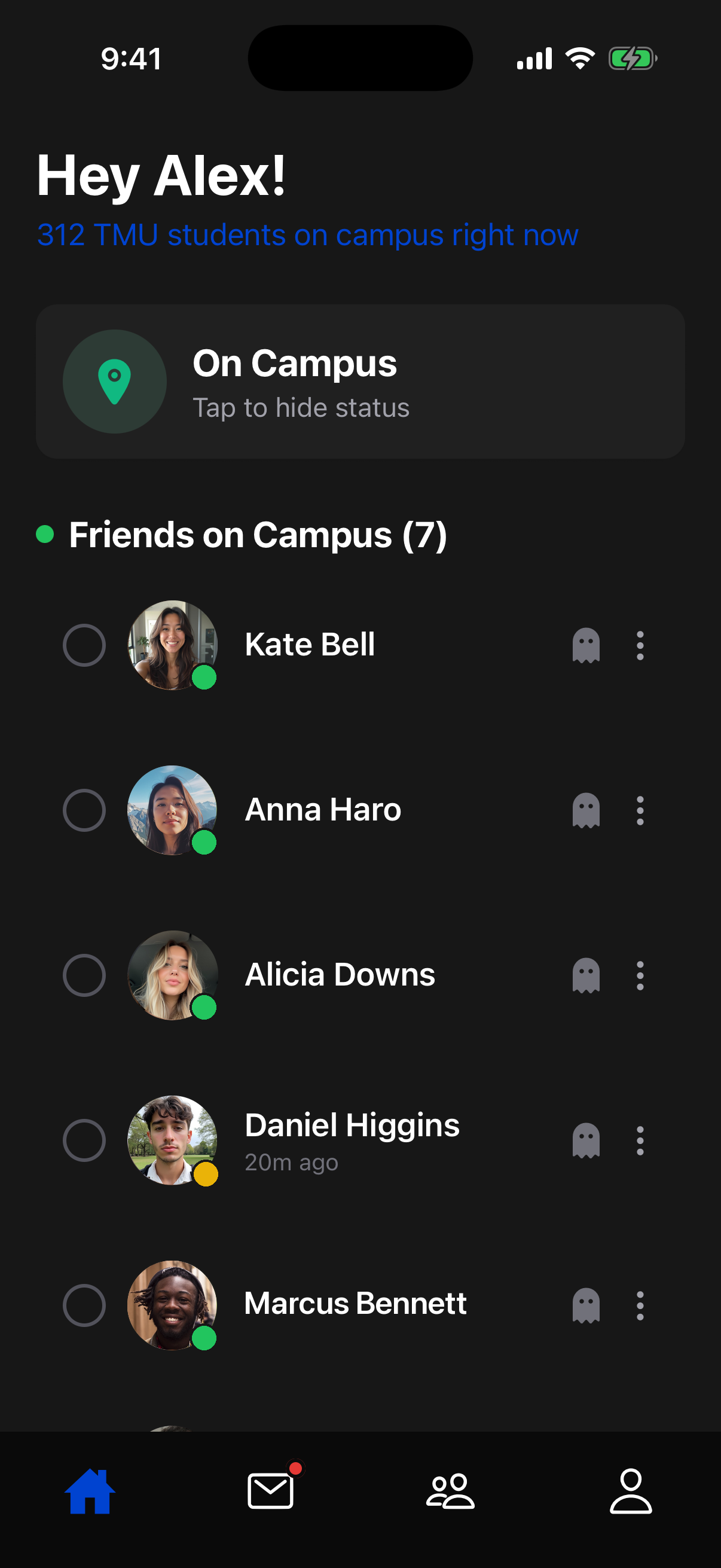
Campus Connect shows you what's happening on campus and who's down, so you can skip the group chat and just go.



About
Between long commutes and mismatched schedules, it's easy to lose touch with people you'd actually want to see. Campus Connect fixes that by showing you when your friends are on campus, so you can send a quick invite and catch up in person.
Verified students only
Access is restricted to students with a verified school email, so you know everyone on the app is a real student.
Add your friends
Sync your contacts or search by name to add the friends you already know and want to stay in touch with.
See who's on campus
Geofencing detects when you and your mutual friends are on or off campus, without ever storing your exact GPS location.
Discover people
Get suggestions for people you're likely to know based on mutual friends, your program, and your year.
Send an invite
Send a meetup invite to any friend who's on campus right now, and coordinate a time and place in seconds.
Privacy-first
Your exact location is never stored. All of that processing happens locally, right on your own device.
FAQ
Is this only for TMU students?
Right now, yes. Campus Connect is starting at TMU and will expand to other schools one at a time as demand grows. Let us know your school when you join the waitlist so we know where to launch next.
When do I get access?
We're inviting schools in the order they reach enough sign-ups on the waitlist. You'll get an email as soon as your school is live.
Is Campus Connect free to use?
Yes, Campus Connect is free to use, and we have no plans to charge for core features.
What do I need to sign up?
A valid school email address. We use it to verify that you're a current student before granting access.
Is my location shared with everyone?
No. Campus Connect uses geofencing to detect whether you're on or off campus, and that detection happens on your device. We never store your exact GPS coordinates. Your campus status is visible only to mutual friends, and invites are visible only to the people you send them to.
Do you sell or share my personal data?
No, we don't sell or share your personal data with third parties. You can unsubscribe from our emails at any time using the link at the bottom of any message we send.
How is this different from Snapchat Maps or Life360?
Snapchat Maps and Life360 track your exact location continuously. Campus Connect only detects whether you're on or off campus through geofencing, and we never store your precise coordinates. That status is shared only with mutual friends. Campus Connect is also built specifically for meeting up with people at your school, with student email verification, meetup invites, and suggestions for people you likely already know.
What platforms is it available on?
Campus Connect is currently available on iOS only. We don't have an Android release planned yet, but we'll share an update if that changes.
How does the founding member referral work?
After you join the waitlist, you'll receive a personal referral link. When a friend signs up using your link, you'll both be marked as founding members.
Can I turn off my on-campus status?
Yes. You can hide your status at any time from the home screen, and your friends won't see you as on campus until you turn it back on.
Can I delete my account and my data?
Yes. Since we're still in the waitlist stage, email us at meetoncampus@gmail.com and we'll delete your waitlist entry and any data we have on file.
Does this drain my battery?
No. Campus Connect relies on lightweight geofencing rather than constant GPS tracking, so it has little impact on battery life.